











 About us
 Magazine
 Contact








Quick Overview
The best way to get a stable internet connection in your motorhome is with a dedicated LTE or 5G router that supports an external antenna. The first step is to determine your data volume and bandwidth requirements, as this will determine the right equipment.
- First, determine your data volume, upload speed, and the number of devices.
- A dedicated LTE or 5G router is considered the most stable foundation for digital nomads.
- An external antenna can significantly improve reception, especially in weak areas.
- A smartphone hotspot is suitable as a backup, because it puts a heavy strain on the battery.
- Plan the power supply early, because routers and laptops need continuous power.
Table of Contents
What you need for stable internet in the motorhome
Last updated: November 9, 2026
Anyone who works on the go quickly realizes that good internet in the motorhome is not a minor issue. Without a reliable connection, the dream of digital nomadism quickly becomes a stress test for nerves and patience. The good news: With the right equipment, stable internet in the motorhome can be easily implemented for everyday work. The same applies to connectivity: campers value comfortable equipment.
A quick look at the numbers shows why the topic is growing. Many digital nomads are traveling in motorhomes and need a connection that also holds up at the campsite.
The most important insight upfront: There is no single best solution. What matters is how much data you need, how often you are on the go, and where you are staying. This guide will lead you step by step through the selection and setup.
Here is what you need at the beginning:
- A clear idea of your data requirements
- A suitable router or an alternative such as satellite internet
- A reliable power supply for the technology
- A plan for security and roaming
The path to a stable connection begins with the requirements analysis.
Attention: A smartphone as a hotspot is practical, but puts a heavy strain on the battery. With intensive use, the connection can become unstable (Netgear notes on mobile hotspots).
Step 1: Determine the requirements for data volume and bandwidth
Before you spend money, determine what you really need. A person who only writes emails can get by with a small data volume. Someone who holds video conferences daily or streams movies needs significantly more. Note down which applications you use and for how many hours a day.
Pay attention to these points:
- Data volume per month, for example for streaming and uploads
- Upload speed, important for video conferences
- Latency, i.e., the response time of the connection
- Number of simultaneously connected devices
According to MS Reisemobile (2024), mobile internet tariffs start at around 20 EUR per month for a basic data volume. Dedicated router solutions, on the other hand, typically range between 30 EUR and 80 EUR per month (comparison of mobile internet solutions for motorhomes).
A common mistake is to overestimate the bandwidth. Often, a moderate amount of data is sufficient if you schedule large downloads for times with good network coverage.
Step 2: Select and install a Wi-Fi router for the motorhome
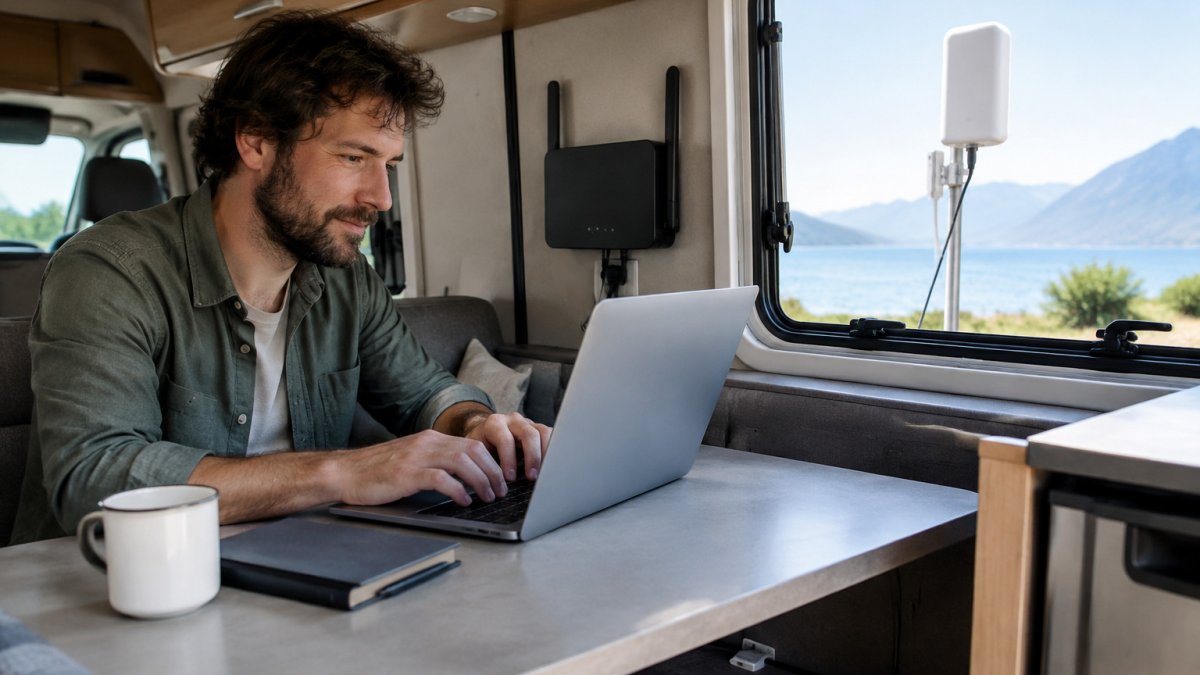
A dedicated LTE or 5G router is the most stable foundation for most digital nomads. It stays on while you drive or work, and can be improved with an external antenna. The trend is clearly towards such hardware:
When purchasing, pay attention to:
- Support for your network operator and the frequency bands
- Connections for external antennas
- Power consumption and operating voltage in the vehicle
- A stable mount that also withstands driving
Installation is usually successful with a fixed place above the driver's cab or in a cabinet near the antenna. Place the antenna as high and free as possible, without metal components directly in front of it.
Step 3: Set up Starlink in the motorhome or check it as an alternative
Satellite internet is a supplement, not a requirement. Anyone who travels a lot in rural areas where mobile phone reception is weak can use it to establish a second connection.
Check the costs for hardware, subscription, and installation before purchasing. A Starlink set in the motorhome needs a place with a clear view of the sky, and the antenna should be stowed or secured during the drive. Prices and conditions can change, so you should check them directly with the provider.
Step 4: Use the smartphone hotspot correctly in the camper
The smartphone hotspot is the easiest solution for short periods. It is suitable for emails or a quick search. For continuous operation, it is less suitable because it puts a heavy strain on the battery and can become unstable with intensive use.
This is how you use it effectively:
- Charge the phone via the onboard power supply during use
- Turn off unnecessary apps and background services
- Use it as a backup if the router fails
Step 5: Improve internet reception in the motorhome
Often, the problem is not the device, but the reception. An external antenna can significantly improve reception strength, especially in weak areas. Point the antenna at the nearest transmission mast if your device supports it.
A signal booster also helps, but only if there is a basic signal. Without a signal, it amplifies nothing. Therefore, first check your provider's network coverage at the locations you want to visit.
Consider roaming, power supply, and security
When traveling within the EU, mobile phone roaming charges generally no longer apply. Outside the EU area, you should carefully check your provider's tariff conditions, because high costs can arise there (Federal Network Agency - Press).
One point that many guides omit is the power supply. Routers, antennas, and laptops need continuous power. Anyone traveling without a campsite connection should plan the power supply early. Read our guide on calculating the power requirements in the motorhome, and check alternatives to the generator, such as a power station instead of a generator. Anyone who wants to make the energy supply permanently independent will find information on retrofitting motorhome autonomy, and a solar system for camping can also power the router without land power. For a fixed network connection in the vehicle, a 230-V power supply retrofit helps.
For security, a Wi-Fi password is included, which you change as soon as you set up the router. Public networks at campsites are often unencrypted. Use a VPN service or your own mobile network for sensitive work.
Another aspect is latency. Satellite connections often have higher response times than mobile phone connections. This can be noticeable for video conferences, so you should test both solutions before the worst happens.
Put together your internet equipment for the next trip
The right equipment arises from your needs, not from a product list. A simple checklist helps with the overview:
- Data requirements per month determined
- LTE or 5G router with antenna connection selected
- Second connection such as satellite internet checked
- Power supply for router and laptop planned
- Wi-Fi password and VPN set up
- Network coverage at your destinations checked
If you start with equipment that suits your everyday life, you will work significantly more relaxed on the go. At Campidoo, you will find accessories around the camper. Browse our assortment. Stable internet in the motorhome begins with good planning. With a suitable connection via LAN cable or Wi-Fi, you can set up stable internet and sensibly complement the planning for everyday work on the go.
Frequently Asked Questions
How do I get internet in my motorhome?
The most reliable way is a combination of an LTE or 5G router with an external antenna and a suitable SIM card with sufficient data volume. For campsites without good mobile phone reception, satellite internet such as Starlink can be a supplement. The costs depend heavily on the tariff, data volume, and hardware. You can find current prices directly from the providers or on the Campidoo website.
Is a smartphone hotspot sufficient for working in the camper?
For emails, text work, and occasional video conferences, a smartphone hotspot is often sufficient. However, with intensive use, it puts a heavy strain on the battery and can become unstable. For daily remote work with longer video calls, a dedicated LTE or 5G router is recommended, which provides continuously stable connections and does not block any of your devices.
Is Starlink suitable for working in the motorhome?
Starlink is well suited as a supplement or alternative when mobile phone reception is weak at remote campsites, as it works independently of the mobile phone network. You should check the requirements for a clear view of the sky and the power supply in advance. You can find current conditions and costs directly from the respective providers.
How much data volume do I need as a digital nomad?
This depends on your usage. Pure text work and emails consume little, video conferences and streaming significantly more. Check your consumption in the first few weeks via the statistics of your smartphone or router and then choose a tariff. Also pay attention to roaming rules within the EU during your planning.

