









 About us
 Magazine
 Contact







Table of Contents
- Designing a car for free: What is possible?
- Free car design apps: The most popular options
- Free 3D tuning app for your vehicle design
- Car wrapping simulator: Visualizing paint and wrapping
-
Configuring a car online: Step-by-step guide
- Step 1: Taking the right photo
- Step 2: Loading the photo into the app or configurator
- Step 3: Applying design options
- Step 4: Saving and exporting the design
- Step 5: Sharing the design and discussing with a specialist
- Data privacy: What happens to your vehicle photo
- Legal limits: What a design may not do
- Virtual tuning vs. real vehicle modification: The key differences
- Avoiding common beginner mistakes in digital car design
- Conclusion: The right tool for your car design project
- Frequently Asked Questions
Last updated: October 8, 2026
Designing a car for free: What is possible?
Designing a car for free is possible – with the right tools and clear expectations.
There are three categories: browser configurators, mobile apps, and desktop software.
At Campidoo, we know: Many motorhome and caravan owners want to customize their vehicle, from awnings to paint jobs.
Important: Virtual tuning and real modification are not the same thing. A free program shows how your car could look, but it does not replace a tuner or paint shop.
Free car design apps: The most popular options
The term free car design app is used in different ways: sometimes it refers to photo filters, other times to true 3D modeling. First, clarify which category your project needs. The following classification lists permanently free options and what "free" means in practice.
Category 1: Photo-based apps (quick visualization)
These apps overlay paint, vinyl, or rims onto a photo of your vehicle – ideal for checking if a color suits your car in minutes.
- YouCam Perfect / YouCam Makeup (Android, iOS): usable for free, but primarily designed for people. Only limited use for vehicle colors because there is no perspective correction for car bodies.
- Picsart (Android, iOS, Web): free basic version with ads. Color and wrap layers can be placed manually over a photo. Export in full resolution is sometimes tied to in-app purchases.
- Canva (Android, iOS, Web): free version with watermarks on some templates. Usable for simple color surfaces and lettering on the vehicle, but without a 3D model.
What "free" means here: Ads, watermarks on some exports, limited resolution – the basic functionality remains usable indefinitely.
Category 2: 3D tuning apps (model-based)
These apps show your vehicle as a 3D model: rotate it, change rims and paint, see changes in real time.
- Car Tuning Simulator (Android): free version with ads and limited vehicle selection. Premium unlocks more models and rims.
- Tuning Cars 3D (Android): similar principle, free with in-app purchases. Export often only as a screenshot, not as a high-resolution file.
- 3D Tuning (Android, iOS): free basic version, many body and rim options. Some paints and spoilers are premium.
What "free" means here: 70-80% of features are free; the best rims, paints, and models often cost extra. Ads are common.
Category 3: Desktop programs (true 3D design)
For scale-accurate designs or technical drawings, you need desktop programs – with a steeper learning curve.
- Autodesk Fusion 360 (Windows, macOS): free to use for private users, students, and hobbyists ("Personal Use" license). The range of functions is vast, but the license restricts commercial use and some export formats. The learning curve is steep.
- SketchUp Free (Web): permanently free, browser-based. Simpler than Fusion 360, but less precise for technical vehicle dimensions. Many vehicle templates in the 3D Warehouse library.
- Blender (Windows, macOS, Linux): completely free and open-source. Extremely powerful, but hard to use in a short time for beginners without 3D knowledge.
What "free" means here: Fusion 360 and Blender are free but require a lot of time. SketchUp Free is ad-free and without watermarks, but functionally limited.
Category 4: Manufacturer configurators (brand-specific)
Almost every manufacturer offers a free online configurator – not for tuning, but for paint, rims, and factory equipment. Useful for "How could my vehicle look?", but only for the brand's current models.Which category fits which goal?
| Goal | Recommended category | Typical "free" limitation |
|---|---|---|
| Quick color idea | Photo-based app | Ads, watermarks |
| Rims and paint on a 3D model | 3D tuning app | Few free vehicle models |
| Scale-accurate design | Desktop program | High time commitment |
| Factory equipment | Manufacturer configurator | Only current brand models |
Common beginner mistake: choosing the "best" app before the goal is clear. Start for free, check exports and watermarks, then decide on an upgrade.
Free 3D tuning app for your vehicle design
Using a free 3D tuning app is the most direct path to vehicle design. These apps are specifically built for this purpose.
TuningCars 3D and similar apps offer:
- Extensive vehicle models
- Real-time rendering (you see changes instantly)
- Rim, paint, and bodywork options
Free versions usually cover 70-80% of functionality; Premium offers more models and filters.
What these apps do:
- Change rims and adjust sizes
- Change paint and patterns
- Swap spoilers, bumpers, and other body parts
What they do NOT do:
- Structural changes to the vehicle (real rebuilds)
- Aerodynamic calculations
- Scale-accurate technical drawings for workshops
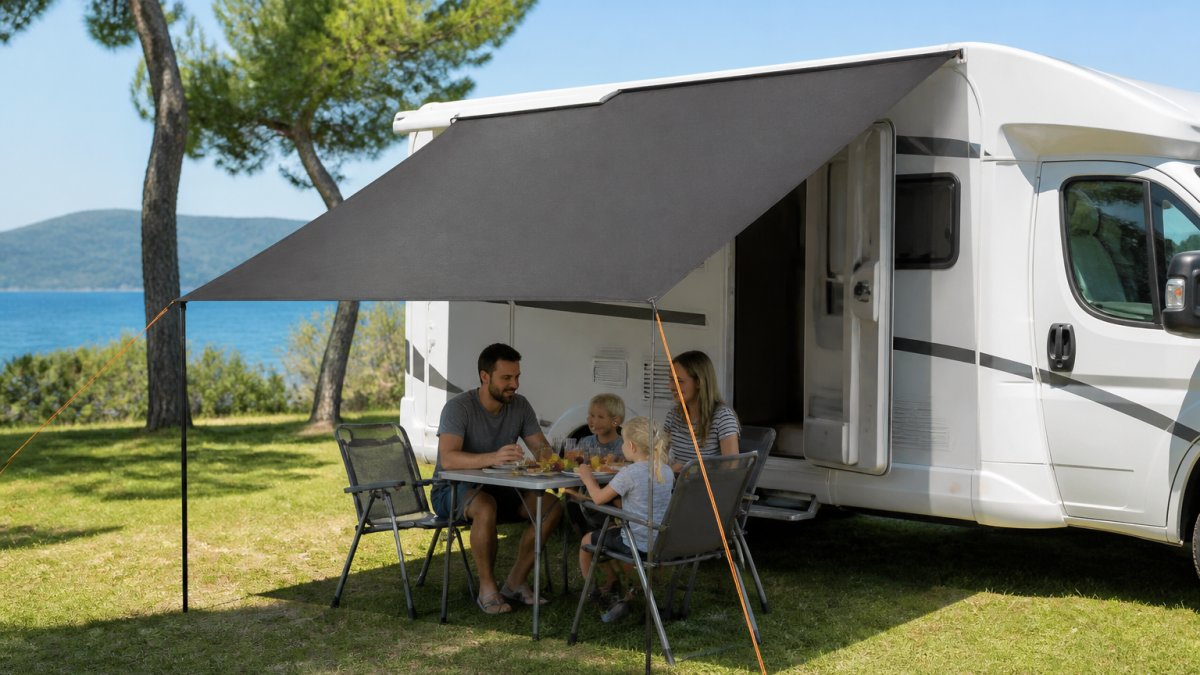
Relevant for motorhome and caravan owners: Personalized awnings or LED lighting can be visualized in advance in a 3D app – this way, you can see if colors and shapes match your style.
Car wrapping simulator: Visualizing paint and wrapping
A car wrapping simulator realistically displays vehicle wraps and paint jobs.
They are particularly valuable if you want to re-wrap or re-paint your motorhome or caravan.
Popular free wrapping simulators:
- Avery Design Studio (free, web-based)
- 3M Wrap Visualizer (free, specifically for wraps)
- Customizer.io (free with limitations)
What you can do with them:
- Photograph or upload your vehicle
- Test different color variants
- Try out patterns and designs
The advantage over 3D apps: These simulators work with real vehicle photos, meaning the lighting conditions and perspective of your vehicle are realistically incorporated.
If you want to equip your motorhome with a new awning in a specific color, you can visualize how the color harmonizes with the rest of the vehicle here.
Configuring a car online: Step-by-step guide
This guide works across platforms – for photo apps, 3D tuning apps, and manufacturer configurators. It shows the path from the first photo to the finished design.

Step 1: Taking the right photo
The quality of the source photo is decisive: a blurry, crooked, or poorly lit photo cannot be saved by any app.
Concrete tips for a good vehicle photo:
- Light: Photograph on an overcast day or during the "blue hour." Direct midday sun creates harsh shadows and distorts colors.
- Perspective: Take the photo from the side at eye level. A slightly elevated angle (about 15 degrees) shows the body and rims at the same time.
- Distance: The entire vehicle must be in the frame, with some margin on all sides. This leaves room for wraps and lettering.
Step 2: Loading the photo into the app or configurator
Depending on the tool, the import process differs:
- Photo apps: Choose a photo from the gallery or take one directly in the app. Then cut out the vehicle (if the app doesn't do it automatically).
- 3D tuning apps: No photo is imported here; instead, a 3D model is selected. Choose a model that comes as close as possible to your vehicle in size and shape.
- Manufacturer configurators: Select brand, model, and trim level. Using your own photo is not an option.
Important: With photo apps, you should check whether the image is saved in the app or uploaded to a server. More on that below.
Step 3: Applying design options
Now the creative part begins. Most programs offer:
- Rim editor: Change size (inches), number of spokes, finish (silver, black, bronze), and tire profile.
- Paint tool: Choose solid, metallic, pearlescent, or matte. Make sure the app renders the paint sheen realistically.
- Wrap tool: Apply patterns, stripes, logos, or a full wrap. Useful for motorhome and caravan lettering.
Procedure: Always change only one thing per pass. Save a variant after every change. This way, you can compare later which combination looks best.
Step 4: Saving and exporting the design
Not every free app allows high-resolution export. Check which formats are possible before you start designing.
- Photo apps: Export usually as JPG or PNG. Watermarks are common in free versions.
- 3D tuning apps: Often only screenshots are possible. Some offer PNG exports at screen resolution.
- Desktop programs: Export as PNG, JPG, and sometimes STL or OBJ for 3D printing.
Tip: Save multiple versions with clear filenames (e.g., "Motorhome_Wrap_Variant-A.png"). This will help you keep track of many designs.
Step 5: Share the design and discuss it with a professional company
A digital design is the best basis for discussing it with a workshop or wrap shop.
- Share: Export the image and send it to the company by email or messenger. Many companies also accept screenshots.
- Print: An A4 or A3 print helps during an in-person meeting.
- Bring multiple versions: Show two or three versions so the company can assess which ones are technically and legally feasible.
Privacy: What happens with your vehicle photo
Anyone who uploads their vehicle photo to an app should know where it is stored:
- Local apps: The photo remains on the device. No upload, no server. The most privacy-friendly option.
- Cloud-based apps: The photo is uploaded to a server, often in the USA or Asia. The privacy policy provides information about the storage duration and deletion.
- Manufacturer configurators: No personal photo is uploaded here; only the equipment is saved.
Recommendation: Read the privacy policy before the first upload. Pay attention to information about the storage duration, disclosure to third parties, and deletion options. For vehicles with visible license plates, you should obscure the license plate before uploading.
Legal limits: What a design cannot do
A digital design is not a free pass for real-life changes. In Germany, the following applies:
- Operating license: Changes to the bodywork, suspension, lighting, or exhaust behavior can void the operating license. An expert opinion according to § 21 StVZO is then required.
- Lighting: Colored or flashing lighting is only permitted within strict limits. LED conversions must have type approval.
- Wrapping: Full wraps are permitted, but reflective or mirrored films are not allowed on certain surfaces. The color must be updated in the vehicle documents if it differs from the registered color.
Anyone who goes through these steps will not only have an image but also a solid basis for further planning - and can speak to a workshop or wrap shop on equal terms.
Virtual tuning vs. real vehicle modification: The most important differences
The critical point that many overlook: Virtual tuning and real vehicle modifications are not the same.
Virtual tuning:
- Fast and free
- No physical consequences
- Perfect visualization under ideal lighting conditions
Real vehicle modification:
- Requires time, money, and expertise
- Lighting conditions, perspective, and material play a role
- Costs can be significant (paintwork, wrapping, parts)
For example: Matte black paintwork with neon yellow rims looks fantastic in the program.
Particularly important for motorhome and caravan owners: A digital design only shows the basic idea for personalized sun awnings or lettering. The actual implementation depends on material, workmanship, and craftsmanship - only an experienced professional company can deliver this.
Avoid common beginner mistakes in digital car design
The same mistakes often happen during the first digital vehicle design:
1. Too many changes at once Beginners change the color, rims, spoiler, and lights all at once. The result looks cluttered. Better: Take it step by step. Test one change, evaluate it, and then move on to the next.
2. Unrealistic proportions Huge rims or extreme bodywork changes look cool in the program.
3. Colors not tested in real light Your monitor displays colors differently than reality.
4. Forgetting that material plays a role A matte color looks different from a glossy one.
**5.
6. Underestimating costs Everything is free in the program. In reality, it is not.
Conclusion: The right tool for your car design project
Designing a car for free is possible - with more options than ever before. The best choice depends on your needs:
- Quick visualization: Mobile apps like Car Tuning Simulator
- Detailed 3D model: Fusion 360 or SketchUp Free
- Wrapping and paintwork: Avery Design Studio or 3M Wrap Visualizer
The most important point: Treat digital designs as a planning tool, not a guarantee. They show ideas; implementation requires expertise, material, and a budget.
If you want to design your motorhome or caravan - with new sun awnings, LED lighting, or lettering -, use these tools for preliminary planning. This way, you will know exactly what you want before you speak to a professional company.
Frequently Asked Questions
How can I design my own car without buying paid software?
With free apps and online configurators, you can design your car by uploading a photo or selecting a vehicle model from a database. Most programs offer tuning options for rims, paintwork, and bodywork. Start with a free car design app like Photoshop Express or use browser-based 3D configurators directly online - no installation required.
Is there a free car wrapping simulator for a realistic preview?
Yes, several car wrapping simulator tools offer free versions. These programs allow you to visualize different film colors and lettering on your vehicle before you decide on a real vehicle wrap. Many specialized tuning apps also include wrapping features as part of their free design options.
Can I really transfer my virtual car design to my real vehicle?
A virtual design shows you how your car looks with new rims, paintwork, or wrapping, but the actual conversion requires professional workshops. Use digital designs as a guide for your tuner or vehicle designer - they help communicate your wishes, but do not replace proper vehicle modification.
Which free apps work on Android and iOS?
Most popular free car design apps are available on both platforms. Search the Google Play Store or Apple App Store for terms like "3D tuning", "car design", or "car configurator". Many offer free basic versions with in-app purchases for advanced features such as professional rendering or unlimited storage.
Proper planning makes the difference. With free design tools, you can clarify your vision before you invest. Then it is time to make it a reality, with the right products and professionals. At Campidoo, we support you with high-quality accessories and personal advice, so that your vehicle not only looks good but is also functional and durable. Discover our range and find exactly what your vehicle needs.